


4206 Views
Create Custom Shapes from Image Selection in Photoshop psd-dude.com Tutorials

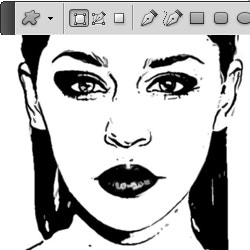
In this tutorial I will show you a quick way to create custom shapes in Photoshop using a selection. All you have to do is make a selection of an object, refine the selection edge, turn to work path and finally define custom shape. All this in 5 minutes opposed to let's say 20 minutes if you decide to draw the silhouette from scratch using the Pen Tool. The time depends a lot on your vector drawing skills. So you can make custom shapes using selection of a raster image.

5047 Views
Photoshop Fire Brush Tutorial psd-dude.com Tutorials

In this tutorial I will show you how to use a fire brush in Photoshop. In the case of other brushes all you have to do is to pick a color an use the brush. In this case if you want to use a fire flame brush properly you have to add a layer style. That way you will obtain beautiful and realistic fire flames.

This is mainly a tutorial for beginners, so it is better after reading this tut to save the layer style and use it whenever you need to create fire in Photoshop. In fact in my next tutorial I will show you how to use flames in a photo manipulations.

8514 Views
Install Font in Photoshop psd-dude.com Tutorials

In this quick tutorial I will show you how to install a new font on your computer. If you are reading these lines, you probably encountered an interesting font on the internet that you want to install in Photoshop.


As you probably know all the Photoshop resources like brushes and custom shapes can uploaded directly into Photoshop using the Preset Manager. But the Fonts can not be uploaded directly in Photoshop, there are other steps that need to be followed.

15150 Views
Create a Photoshop Sunburst psd-dude.com Tutorials

I recently needed a sunburst for one of my tutorials. I had to choose from using one of the free sunburst brushes or creating one myself. Wanting to learn something new all the time, I chose of course to create a sunburst from scratch.

It is not hard to make a sunburst in Photoshop but you really need to know some little tricks to get it right. Remember that this is not a vector sunburst, I will explain how to create a sunburst shape in one of my future lessons.

5279 Views
Brush Size Shortcut in Photoshop psd-dude.com Tutorials

Adobe Photoshop comes with a number of default shortcuts for different Tools, Menus or Filters with the obvious purpose of making your work process easier. Switching between mouse and keyboard can be annoying and time consuming. So these Photoshop shortcuts are a really cool feature. In fact all the major software have predefined shortcuts.


In this quick Photoshop Tips article I will list the main available shortcuts for the Brush Tool. The most used is the brush size shortcut, but it is useful to know other shortcuts like the brush opacity shortcut or the brush hardness shortcut And if you don't find one on the list you can create it. As you will see Photoshop allows you to create new shortcuts for many Brush Tool actions.

15997 Views
Swirl in Photoshop Tips psd-dude.com Tutorials

Learn how to make a swirl in Photoshop from this easy to follow tutorial. So, you need to create a spiral in Photoshop and you don't want to use a pre-made swirl brush or a swirl shape. To be honest swirl custom shapes are hard to make and for that reason there are not to many swirl shapes available for free on the internet.


You can create your own swirl in Photoshop from scratch and the good news is that it can be made in just 5 minutes. In this tutorial I you will find the basic steps on how to create a swirl in Photoshop using different types of gradients and the Distort Twirl Filter. Sounds good? Let's start!

  • Subscribers 653
  • Twitter 1,549
  • Facebook 9,453
AI Vault Store Custom Shapes for Photoshop
Search This Site
Free Updates

Delivered by FeedBurner

Recent Posts
Learn how to create a pixel avatar image for your social networks using my premium pixel Photoshop a...
For all the psddude fans here is a new PSD file with free Photoshop metal style that you can use i...
In this quick tutorial for beginners I will explain what is a Photoshop brush and how can we create ...
To make a circle in Photoshop is easy, anyone can do it using the default Photoshop Ellipse Tool. My...
Popular Posts
I am not a fan of tattoos but I can still appreciate it as art. There are a lot of people out there,...
There's something about ribbons that just looks good. I thought about making this Ribbon Vector Free...
Hello girls and boys! Today i want to make a cartoon rainbow... i really hope you will like it! ...
Another Photoshop texture that is really used by digital artists is for sure the old paper texture. ...
In today list of free textures for Photoshop I have gathered over 100 amazingly beautiful wood textu...
Today's list is a collection of Free Photoshop Layer Styles. As many of you already know, Photoshop ...
I saw this beautiful stock image with the girl and decided immediately that she is perfect for an an...
Hello, today I will show you how easy it is to create a broken glass effect. We will use of course a...
I have decided to create a new character from Alice in Wonderland and I hope that maybe someday to r...
To create a Comic Book Effect in Photoshop we have to mix all sort of filters and blend them togethe...
Partners
Valid XHTML 1.0 Strict CSS valid!