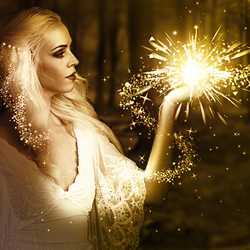




In this new Adobe Photoshop tutorial you will learn how to create a fantasy photo manipulation with a lily princess in a mysterious dark background. You can use your own imagination and change the image using other stock images, different flowers maybe I can't wait to see your results. Thank you to Tatyana from photoshop-manja for this new and beautiful Photoshop tutorial.
In this tutorial you will learn how to create a surreal photo manipulation that combines different stock images and textures. This surreal Photoshop landscape is made out of a water canal, a waterfall and some unusual hanging windows above the water. All of these items are linked together by a beautiful burnt color cloudy sky.
Learn how to create a dark fantasy Photoshop manipulation using some simple cropping and blending techniques. This is a tutorial that can be made also by Photoshop beginners because all the steps are really detailed. If you want to learn even more about manipulation techniques I suggest you to read this tutorial about lighting and shading in Photoshop.
Learn how to create a beautiful floral daisy heart with a grunge organic background in Photoshop. You will learn a nice technique to fill a shape with a pattern using your own premade patterns; you can use it to create all kind of interesting effects. This Adobe Photoshop manipulation has also a dark horror feel due to the ropes added and the grunge background.
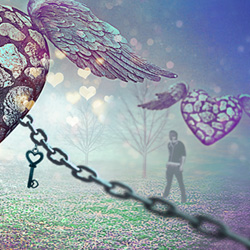
Learn how to create a beautiful photo manipulation for Valentine's Day. You need some simple blending techniques like color matching and of course shadow and lighting. I am really curious to see your own interpretation of my love photo manipulation; as usual I am sure you will upload amazing Photoshop artworks.
Learn how to create a beautiful love inspired Photoshop manipulation just in time for Valentine's day. All you have to do is blend some stock images and match the colors, lighting and shading using adjustment layers. I really hope you will enjoy this new photo manipulation tutorial and I can't wait to see your beautiful results. This is actually my second love inspired tutorial for this year and I will publish two more till 14th of February .
Learn how to create a surreal underwater landscape in Photoshop using some simple blending and image cropping techniques.
Creating an underwater scene is not a hard, all you have to do is use some water textures, brushes and blend all the different stock images used. This is our second guest Photoshop photo manipulation tutorial made by our friend PSHoudini.
Learn how to create a creative broken heart island in Photoshop in a beautiful
water surrounding. I have also added a mermaid and a couple of fish under the water. The broken heart island is a beautiful way to celebrate this
year Valentine's day. I hope you will share your result with us so have fun and be creative. And don't forget to check out our previous tutorial, The Stone Heart photo manipulation
Learn how to create a surreal fantasy hunting scene in Photoshop using some simple blending techniques. This photo manipulation tutorial was written by our friend from deviantArt, Maryo. Hope you will like this new Photoshop tutorial and decide to practice it. I am really curious to see your results so feel free to upload them in our comments section.
Learn how to create a surreal photo manipulation using some simple Photoshop techniques like photo cropping, blending images, adding shadow and applying gradients and adjustment layers. This surreal fantasy Photoshop tutorial can be practiced even by PS beginners and it will take you about 2 hours to complete it. I have used some PNG stock images to make the photo manipulation process much easier.
Recent Posts
Learn how to create a pixel avatar image for your social networks using my premium pixel Photoshop a...
For all the psddude fans here is a new PSD file with free Photoshop
metal style that you can use i...
In this quick tutorial for beginners I will explain what is a Photoshop brush and how can we create ...
To make a circle in Photoshop is easy, anyone can do it using the default Photoshop Ellipse Tool. My...
Popular Posts
I am not a fan of tattoos but I can still appreciate it as art. There are a lot of people out there,...
There's something about ribbons that just looks good. I thought about making this Ribbon Vector Free...
Hello girls and boys!
Today i want to make a cartoon rainbow... i really hope you will like it!
...
Another Photoshop texture that is really used by digital artists is for sure the old paper texture. ...
In today list of free textures for Photoshop I have gathered over 100 amazingly beautiful wood textu...
Today's list is a collection of Free Photoshop Layer Styles. As many of you already know, Photoshop ...
I saw this beautiful stock image with the girl and decided immediately that she is perfect for an an...
Hello, today I will show you how easy it is to create a broken glass effect. We will use of course a...
I have decided to create a new character from Alice in Wonderland and I hope that maybe someday to r...
To create a Comic Book Effect in Photoshop we have to mix all sort of filters and blend them togethe...
Partners