


In this tutorial we'll learn how to create an interesting Easter vintage greeting card using a few stock images and vintage textures and patterns. This is a quite easy to practice tutorial perfect for the upcoming Easter holiday. If you want to try other text effects for this greeting card you can check out these amazing retro vintage layer styles.
Learn how to create a Valentine Day Wallpaper in Photoshop from this easy to follow tutorial. We'll create a beautiful heart made from jeans pattern and leather with stitching effect
.
Hopefully you will learn new things from this Valentine Photoshop tutorial and decide to download the free wallpaper. And I also hope you will share it with all your friends.
Do you want to make your own custom brushes? Find out how, from this easy to follow tutorial. I will show you how to create Photoshop sparkle brushes in just a few simple steps. It is true that there are hundreds of free sparkle brushes available on the internet. But I thought it might be nice to learn how to create a sparkle effect from scratch.
In this Photoshop tutorial we'll create just three simple star sparkle brushes, but I will continue the set and give it as freebie. I hope that all the newbies out there will enjoy reading this tut!
If you ever wonder how to make a cardboard texture here you have a quick tutorial that shows you exactly how to create a realistic cardboard texture in just 5 minutes. It looks pretty good for a cardboard paper made entirely from scratch.
If you are not pleased with the result you can always check out our other cardboard related articles and tutorials.
I was really inspired by the previous article Texture Photoshop Tutorials so I have decided to create my own sand textures. Nothing complicated, in just a few simple steps you will obtain a very nice texture made from scratch. Today I will show you one way to create sand dunes in Photoshop.
So let's start!
Learn how to create a logo in Photoshop with a toasted bread effect. It works beautifully for text, shape and so on. All you have to do is find a bread texture and put the logo on top. Use the Burn Tool to create the toasted effect; ready in just a few minutes.

Helo, In this tutorial I will make a nice chocolate effect turning a girl into a dark chocolate figurine. I will also engrave a text into the chocolate. Have fun and let's start!
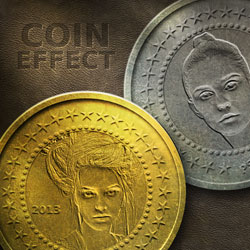
Learn how to create a beautiful golden engraved decoration that you can use to create a fairytale book cover or you can add it to your scrapbook. Using the same technique I will also make an engraved text effect.
We'll start by adding a nice floral border using a set of Photoshop corner brushes. I hope you will like the effect, so let's start!
Recent Posts
Learn how to create a pixel avatar image for your social networks using my premium pixel Photoshop a...
For all the psddude fans here is a new PSD file with free Photoshop
metal style that you can use i...
In this quick tutorial for beginners I will explain what is a Photoshop brush and how can we create ...
To make a circle in Photoshop is easy, anyone can do it using the default Photoshop Ellipse Tool. My...
Popular Posts
I am not a fan of tattoos but I can still appreciate it as art. There are a lot of people out there,...
There's something about ribbons that just looks good. I thought about making this Ribbon Vector Free...
Hello girls and boys!
Today i want to make a cartoon rainbow... i really hope you will like it!
...
Another Photoshop texture that is really used by digital artists is for sure the old paper texture. ...
In today list of free textures for Photoshop I have gathered over 100 amazingly beautiful wood textu...
Today's list is a collection of Free Photoshop Layer Styles. As many of you already know, Photoshop ...
I saw this beautiful stock image with the girl and decided immediately that she is perfect for an an...
Hello, today I will show you how easy it is to create a broken glass effect. We will use of course a...
I have decided to create a new character from Alice in Wonderland and I hope that maybe someday to r...
To create a Comic Book Effect in Photoshop we have to mix all sort of filters and blend them togethe...
Partners