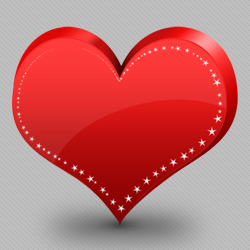
Learn how to create a heart in Photoshop using custom shapes and layer styles from this easy to follow Photoshop tutorial. I will use the default Photoshop heart shape found in CS4, but you can use any other shape. By simply moving the heart I will create a simple 3d heart effect; the same technique can be applied to create other 3d shapes in Photoshop.
Being a vector heart, I can easily change the shape and color of the heart. A vector shape can also be resized without loosing its quality. If you decide to resize the heart don't forget to scale the effects of the layer style otherwise it will look weird. The PSD file is made with Photoshop CS4 and can be downloaded for free by all our registered users.
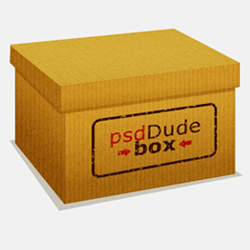
Time for another easy to follow Photoshop tutorial. Today I want to make a box icon entirely from scratch. It is a vector box and you can easily apply different textures and colors to it. As an example I have applied a cardboard texture made in a previous tutorial.
I really hope you will enjoy reading this tutorial on how to create your own box icon. So let's start!

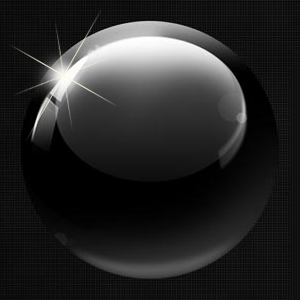
In this tutorial, Ian Vicknair will teach you how to create a realistic 3D black ball in Photoshop. You will obtain a simple but yet effective result in just a few steps. Let's start!

In this tutorial I will show you how to make an animated kissing emoticon in Photoshop, using Animation. So in the first steps I will create two simple emoticons and than I will animate them to kiss. February being the month of love I thought that this kind of emoticon is a cute idea.
May I say that understanding animation was a little hard for me so I will try to make it easier
for you. It is similar to flash animation but of course not so complicated and with less elements. At
the same time, creating an emoticon it seems like an easy task but in fact it is not. It is much
harder to work on a tiny surface, every pixel must be place in the right place to obtain a cute
looking emoticon. Choosing the right colors it also very important!
So let's start!

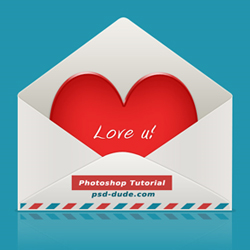
In this tutorial you will learn some simple tricks to create a cute icon for Valentine's Day. The icon consist of an envelope with a red heart shape inside. This icon is made from scratch so no need for stock images or other resources. You can resize it to any size without loosing the quality of the image because it is a vector icon.
Hope you like it! Let's start!
Recent Posts
Learn how to create a pixel avatar image for your social networks using my premium pixel Photoshop a...
For all the psddude fans here is a new PSD file with free Photoshop
metal style that you can use i...
In this quick tutorial for beginners I will explain what is a Photoshop brush and how can we create ...
To make a circle in Photoshop is easy, anyone can do it using the default Photoshop Ellipse Tool. My...
Popular Posts
I am not a fan of tattoos but I can still appreciate it as art. There are a lot of people out there,...
There's something about ribbons that just looks good. I thought about making this Ribbon Vector Free...
Hello girls and boys!
Today i want to make a cartoon rainbow... i really hope you will like it!
...
Another Photoshop texture that is really used by digital artists is for sure the old paper texture. ...
In today list of free textures for Photoshop I have gathered over 100 amazingly beautiful wood textu...
Today's list is a collection of Free Photoshop Layer Styles. As many of you already know, Photoshop ...
I saw this beautiful stock image with the girl and decided immediately that she is perfect for an an...
Hello, today I will show you how easy it is to create a broken glass effect. We will use of course a...
I have decided to create a new character from Alice in Wonderland and I hope that maybe someday to r...
To create a Comic Book Effect in Photoshop we have to mix all sort of filters and blend them togethe...
Partners