Photoshop Alternatives
Discover the best Photoshop alternatives for 2026. Compare top free and online tools like Photopea, GIMP, MockoFun, and Affinity Photo for Mac, Windows, and Web.


Best Photoshop Alternatives 2026
Looking for the best Photoshop alternatives?
While Adobe Photoshop is a popular choice, there are plenty of other tools for photo editing and graphic design. Whether you’re a designer, photographer, student, or content creator, you can find options to suit different needs and budgets.
From free, open-source editors to browser-based tools and professional software, each alternative offers something different. In this guide, we’ll explore the best Photoshop alternatives, their key features, pricing, and what they’re best for.
I’ve personally tested and regularly used some of the tools from this Adobe alternatives list, while others were evaluated through reviews, video tutorials, and additional research.
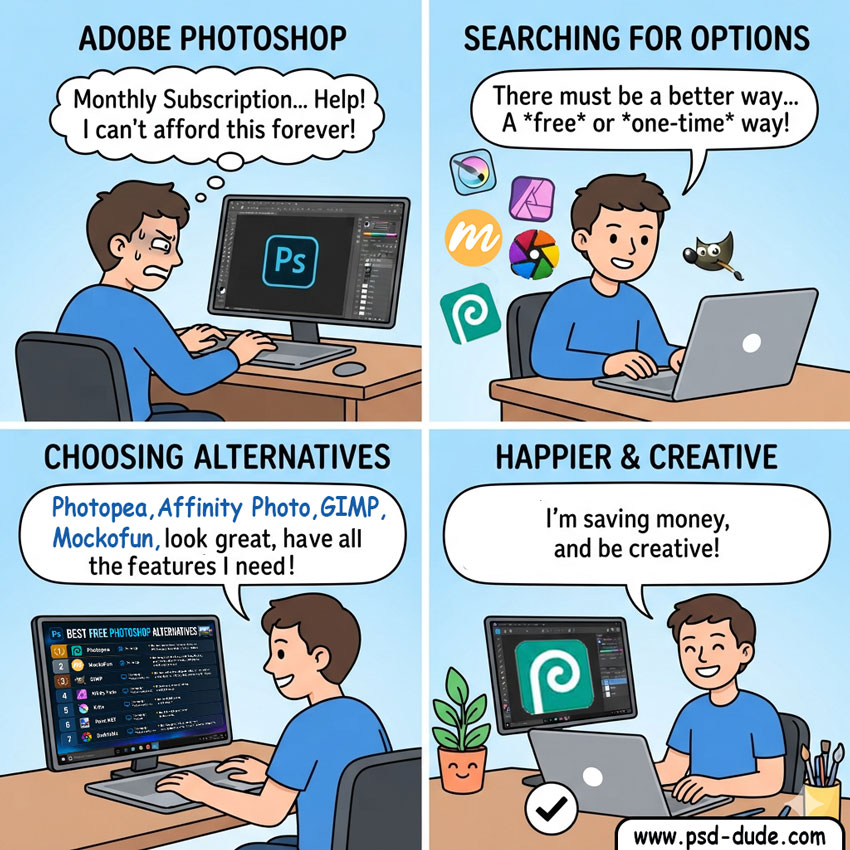
| Name | Platforms | Price | Download / Installation | Features |
|---|---|---|---|---|
| Photopea | Web | Free / Premium | Not required | PSD support, Photoshop-like interface, browser-based editing |
| GIMP | Windows, macOS, Linux | Free | Required | Photo compositing, layers, masks, plugins, advanced image editing |
| MockoFun | Web | Free / Premium | Not required | Non-destructive editing, smart filters, layers, photo manipulation, text effects, social graphics, AI editing & image generation |
| Affinity Photo | Windows, macOS, iPadOS | Free | Required | Professional photo editing, raster editing, vector design, advanced workflows |
| Krita | Windows, macOS, Linux | Free | Required | Digital painting, illustration, advanced brushes, layers |
| Paint.NET | Windows | Free | Required | Lightweight editing, layers, basic photo adjustments, blending modes |
| Darktable | Windows, macOS, Linux | Free | Required | RAW photo editing, non-destructive editing, color grading, photo management |
| Pixelmator Pro | macOS | Paid | Required | Apple Silicon optimization, layer editing, RAW processing, vector tools, ML Super Resolution, automatic subject masking |
1. Photopea
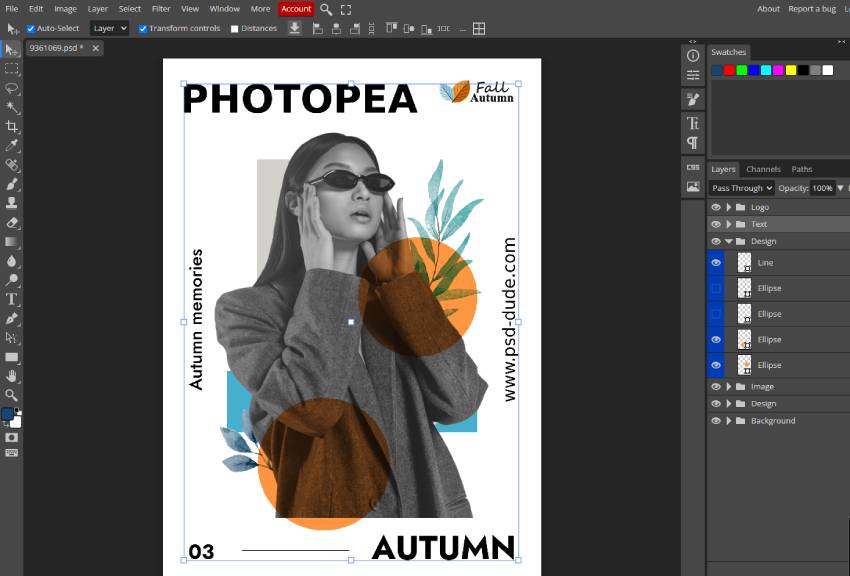
Photopea is one of the easiest Photoshop like apps to recommend when you want to edit photos without installing anything. It runs directly in your browser, and the interface feels familiar if you have used Photoshop before like I did. In practice, its biggest advantage is PSD compatibility: you can open layered Photoshop files, make changes, and continue working with layers, masks, smart objects, filters, and blend modes. For quick edits or working on another computer, Photopea is surprisingly capable. I use it when I want to edit my old PSD files or new cool PSD files that I find online.
- Free? ✔️ Yes (ad-supported) / Premium available
- Similar Features: Photoshop-like interface, PSD support, Layers, Masks, Smart Objects, Filters, Blend modes
- Platform: Web
2. Affinity Photo
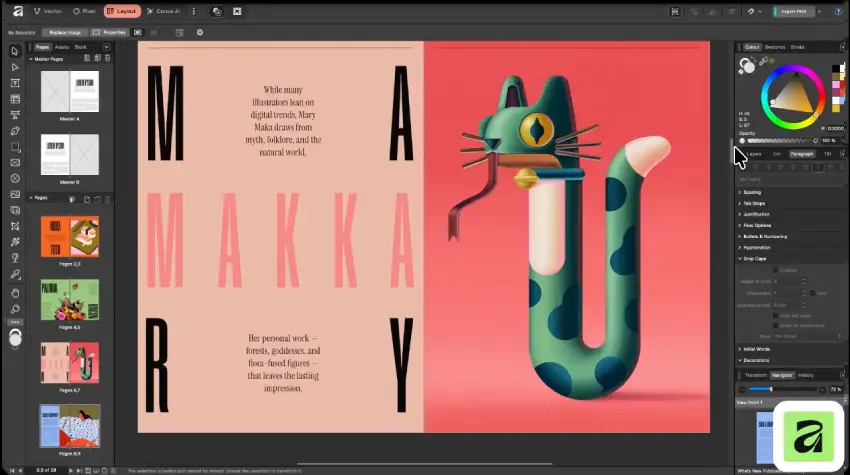
Affinity Photo is a Photoshop like software aimed at people who want a more traditional desktop photo editor without relying on a browser. The workflow feels familiar to Photoshop users, particularly if you regularly work with layers, masks, adjustment layers, RAW files, and professional retouching tools. In real-world editing, it's well suited to larger projects where you want a dedicated application and a more controlled workspace rather than a lightweight online editor. I tried Affinity Photo a couple of times and works great.
- Free? ✔️ Yes
- Similar Features: Layers, Masks, Adjustment layers, RAW editing, PSD support, Blend modes, Professional photo retouching
- Platforms: Windows, macOS, iPad
3. MockoFun
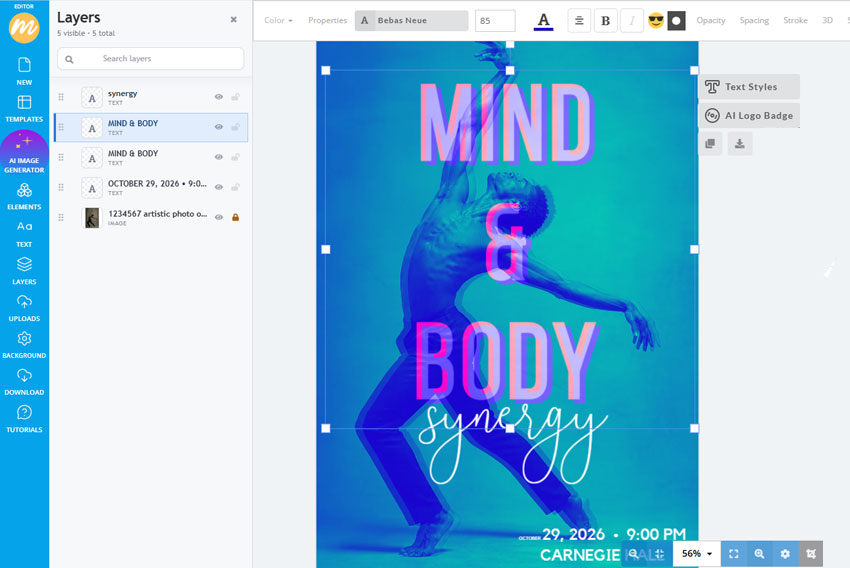
MockoFun is an easy online Photoshop alternative for quick photo editing, smart filters, effects, and AI graphic design.
MockoFun takes a different approach from traditional Photoshop alternatives. Instead of trying to reproduce every advanced Photoshop feature, it focuses on making common photo editing and graphic design tasks easy. It's particularly useful for quick photo edits, social media graphics, text effects, templates, mockups, and AI-powered editing. If you want to create something attractive quickly without spending hours learning a professional editing workflow, MockoFun is worth considering. I use it all the time for my design projects.
- Free? ✔️ Yes / Premium available
- Similar Features: Layers, Masks, Smart photo filters, Adjustment layers, Blend modes, AI photo effects, Templates, Mockups, Graphic design tools, AI tools
- Platform: Web
4. GIMP
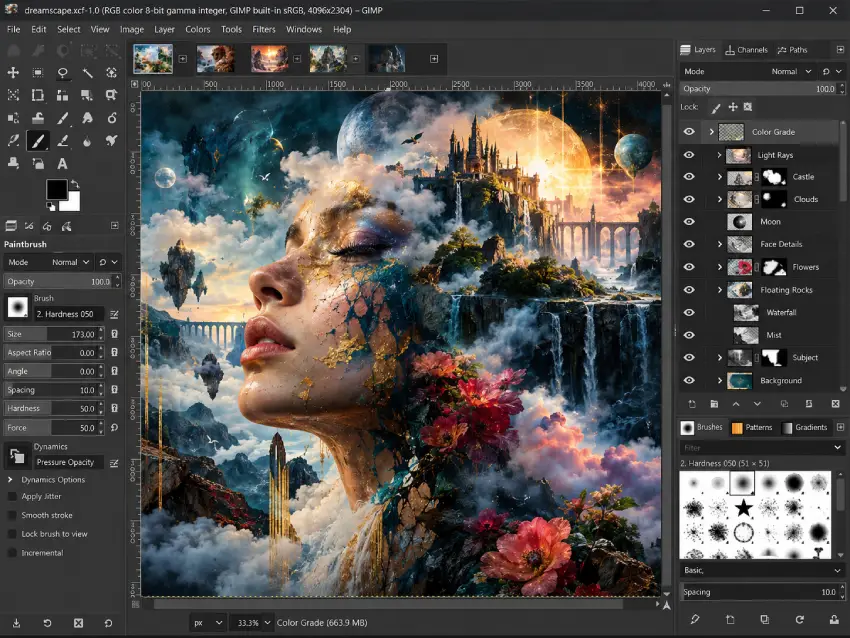
GIMP is a popular free Photoshop alternative for desktop.
GIMP remains one of the best-known free Photoshop alternatives for desktop users. It is powerful enough for serious photo manipulation, compositing, retouching, and image creation, and its plugin and scripting support gives experienced users plenty of room to customize their workflow. The trade-off is that GIMP can feel less intuitive at first, especially if you are coming directly from Photoshop. Once you learn where the tools are and customize the interface, however, it becomes a very capable free image editor. I’m not very familiar with GIMP, and I find it harder to learn, especially because I’m already used to Photoshop.
- Free? ✔️ Yes
- Similar Features: Layers, Masks, Brushes, Plugins, Scripting, Advanced selections, PSD import
- Platforms: Windows, macOS, Linux
5. Krita
Krita is a free Photoshop alternative focused on digital painting and illustration.
Krita makes the most sense when your idea of Photoshop involves painting, illustration, concept art, or drawing rather than primarily editing photographs. Its brush engine is the standout feature, and the application provides layers, masks, filters, animation tools, and PSD support alongside its painting features. For digital artists, Krita can feel much more focused than a general-purpose photo editor. To be honest, I haven’t tried Krita myself, but based on the videos and examples I’ve seen, it seems to be more focused on digital artists, illustrators, and painting rather than traditional photo editing.
- Free? ✔️ Yes
- Similar Features: Layers, Masks, Professional brushes, Filters, Animation tools, PSD support, Digital painting
- Platforms: Windows, macOS, Linux
6. Pixelmator Pro
Pixelmator Pro is a Photoshop alternative designed for Mac users.
Pixelmator Pro is designed specifically for Mac users who want a polished alternative to Photoshop. Its interface is clean and closely integrated with macOS, while the editing tools cover everything from layers and masks to RAW processing, color correction, and professional retouching. It also puts considerable emphasis on AI-powered editing, making tasks such as selecting subjects or improving image resolution faster. If you work primarily on a Mac, it offers a streamlined alternative to a more complex Photoshop workflow. I’m a Mac user, but I haven’t purchased Pixelmator Pro. I’m not sure it’s worth the cost when there are so many other alternatives available.
- Free? ❌ No
- Similar Features: Layers, Masks, AI-powered editing, RAW support, Color correction, Professional retouching
- Platform: macOS
7. Canva / Adobe Express
Canva is a beginner-friendly Photoshop alternative for quick designs and basic photo editing. Adobe Express is a simple Photoshop replacement for creating quick designs and editing images.
Canva and Adobe Express are better suited to quick design work than to replacing Photoshop's full professional editing workflow. They are particularly convenient for creating social media posts, presentations, banners, thumbnails, marketing graphics, and simple photo edits. Templates, background removal, AI tools, and text effects make it possible to create polished designs quickly, even if you have little experience with image editing. I used Canva for a couple of years before switching to MockoFun, which better fits my needs.
For advanced photo manipulation, though, a dedicated editor such as GIMP, Photopea, or Affinity Photo offers more control. Since I moved away from Photoshop, I also use Photopea for certain tasks and, honestly, partly for the nostalgia.
- Free? ✔️ Yes / Pro available
- Similar Features: Templates, Layers, AI image editing, Background removal, Quick graphic design tools, Text effects, Basic photo editing
- Platforms: Web, Desktop, Mobile
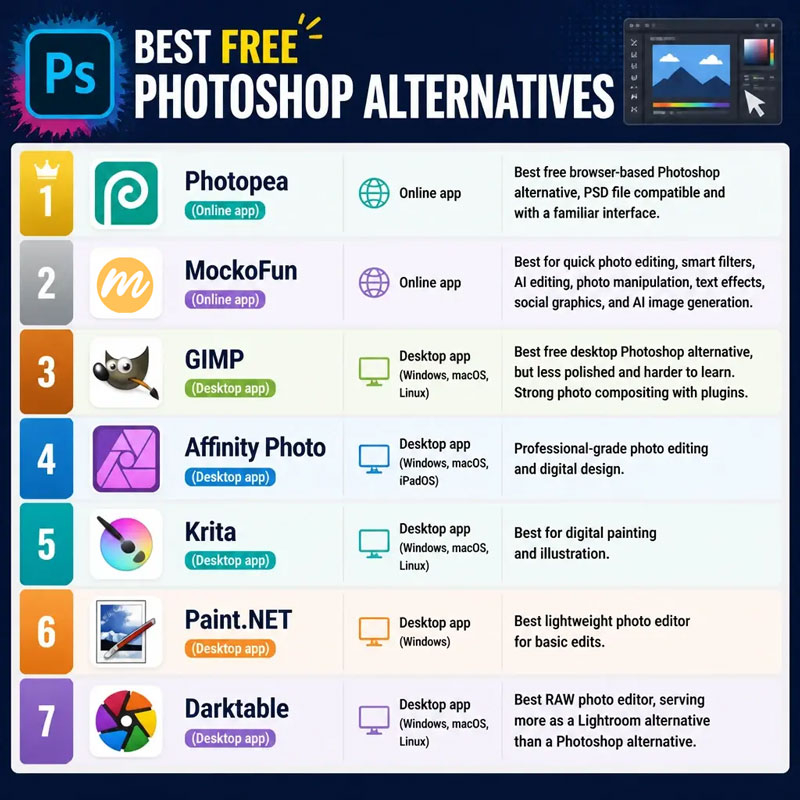
🤑 Best FREE Photoshop Alternatives
- Photopea (Online app): Best free browser-based Photoshop alternative, PSD file compatible and with a familiar interface.
- MockoFun (Online app): Best for quick photo editing, smart filters, AI editing, photo manipulation, text effects, social graphics, and AI image generation.
- GIMP (Desktop app (Windows, macOS, Linux)): Best free desktop Photoshop alternative, but less polished and harder to learn. Strong photo compositing with plugins.
- Affinity Photo (Desktop app (Windows, macOS, iPadOS)): Professional-grade photo editing and digital design.
- Krita (Desktop app (Windows, macOS, Linux)): Best for digital painting and illustration.
- Paint.NET (Desktop app (Windows)): Best lightweight photo editor for basic edits.
- Darktable (Desktop app (Windows, macOS, Linux)): Best RAW photo editor, serving more as a Lightroom alternative than a Photoshop alternative.
🌐 Online Photoshop Alternatives
- Photopea: Free browser-based Photoshop alternative that looks and acts almost identical to Photoshop, opens layered PSD files, and requires no download.
- MockoFun: Free online graphic design and photo editor with templates, text effects, AI tools, and layer-based editing — no installation required.
- Pixlr: Beginner-friendly online editor with AI background removal and basic layer editing.
Check out the complete list of online Photoshop alternatives if you want to find other web photo editors like Photoshop.
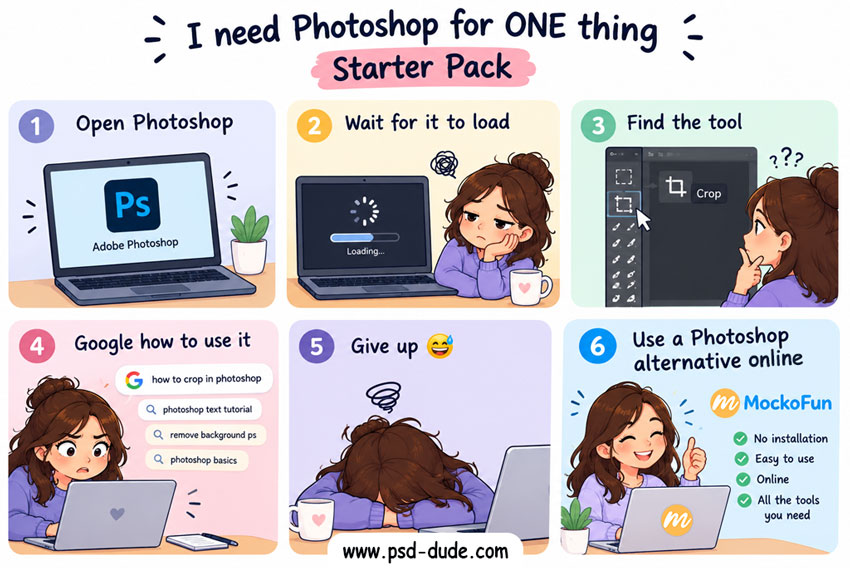
Photopea vs Mockofun
- Photopea: Closer to Photoshop, with PSD support, layers, masks, smart objects, and advanced editing tools.
- MockoFun: Best for quick designs, easy photo edits with non-destructive editing, text effects, templates, and AI-powered tools.
🍎 Photoshop Alternatives for Mac
- Affinity Photo: Best overall professional Adobe Photoshop alternative for Mac, offering full layer editing, RAW processing, and PSD file compatibility for free. Advanced layer-based editing, masks, adjustment layers, RAW processing, PSD support, blend modes, professional retouching, and powerful selection tools. Its clean interface makes it easier to manage complex editing projects.
- Pixelmator Pro: Best Mac-Native Integration, built exclusively for macOS, Pixelmator Pro feels like an app Apple would design themselves. It is highly optimized for Apple Silicon (M1/M2/M3/M4 chips). Clean, single-window interface, advanced layer-based editing, excellent RAW photo processing, vector design tools, and powerful machine-learning features such as ML Super Resolution and automatic subject masking. Available for a one-time purchase on the Mac App Store.
- GIMP: Best open-source, free substitute for Photoshop, it's the ultimate old-school, zero-cost desktop alternative for traditional image manipulation. Full layer-based editing, custom brushes, channels, masks, and advanced filters. The GIMP 3.0 update modernizes the software with non-destructive editing and a cleaner layout. It handles complex tasks well, though it has a steeper learning curve than Mac-native applications. 100% free and open-source, downloadable directly from the official GIMP website.
- MockoFun, Photopea & Canva: Best online tools, that work perfectly on a Mac through Safari, Chrome, or Firefox.
Affinity Photo vs GIMP
- Affinity Photo: Free program similar to Photoshop with similar workflow, interface, and professional photo editing.
- GIMP: More flexible and customizable, but has a steeper learning curve and feels less like Photoshop.
🐧 Photoshop Alternatives for Linux
- GIMP (GNU Image Manipulation Program): Best overall for advanced image retouching, photo manipulation, and general raster editing. You can customize its layout or use tweaks like PhotoGIMP to make the workspace feel closer to Adobe.
- Krita: Best if your workflow leans toward digital painting, concept art, or illustration rather than heavy photo manipulation. It includes an exceptional brush engine and full layer support.
- Darktable: Best free option if your Photoshop usage is focused primarily on non-destructive RAW photo development and color grading, acting as a Lightroom alternative.
- Photopea & Mockofun: Both are web-based Photoshop alternatives that run right inside your browser. Photopea features an interface and shortcut system nearly identical to Photoshop and handles PSD files with high fidelity. Mockofun is a web photo editor that has similar Photoshop features plus graphic design options.
💻 Photoshop Alternatives for Windows
- GIMP: A powerful, open-source raster graphics editor supporting layers, masks, and plugins, though it has a steep learning curve. Requires download & installation.
- Krita: A free, open-source application built primarily for digital painters and illustrators, with an advanced brush engine. Requires download & installation.
- Paint.NET: A sleek, lightweight Windows-only app featuring layer support and blending modes that is great for beginners. Requires download & installation.
- Affinity Photo: A professional photo editor that rivals Photoshop with robust raster and vector workflows. Requires download & installation.
- Photopea & Mockofun: Both are online Photoshop alternatives that run right inside your browser. No download required. Photopea mirrors the Photoshop interface and handles PSD files and smart objects seamlessly. Mockofun doesn't mimic Photoshop but has similar features like smart filters, non-destructive editing, layers and graphic design tool.
Frequently Asked Questions
What are the best free Photoshop alternatives?
Photopea is one of the closest free alternatives to Photoshop, with a similar interface and PSD support. GIMP is another powerful free choice, while Mockofun is better suited to simpler, browser-based editing.
What are the best online Photoshop alternatives?
Photopea is one of the best online Photoshop alternatives. Mockofun also offer non-destructive photo editing, photo filters and basic PSD file edits.
Which Photoshop alternatives support PSD files?
Yes. Photopea is the only tool that offers strong PSD support and can open and edit Photoshop files directly in your browser.
What are the best Photoshop alternatives for beginners?
For beginners, simple browser-based tools such as Mockofun can be easier to learn than professional desktop software.
Are there free Photoshop alternatives for photo editing?
Yes. GIMP, Photopea, Mockofun, Affinity Photo and several other free tools offer photo-editing features without a Photoshop subscription. Their features and interfaces vary, so the right option depends on your workflow.
What are the best Photoshop alternatives for Mac?
Affinity Photo is a strong Photoshop alternative for Mac, offering powerful photo-editing tools in a dedicated desktop app. Photopea and Mockofun are other options if you prefer working directly in your browser.
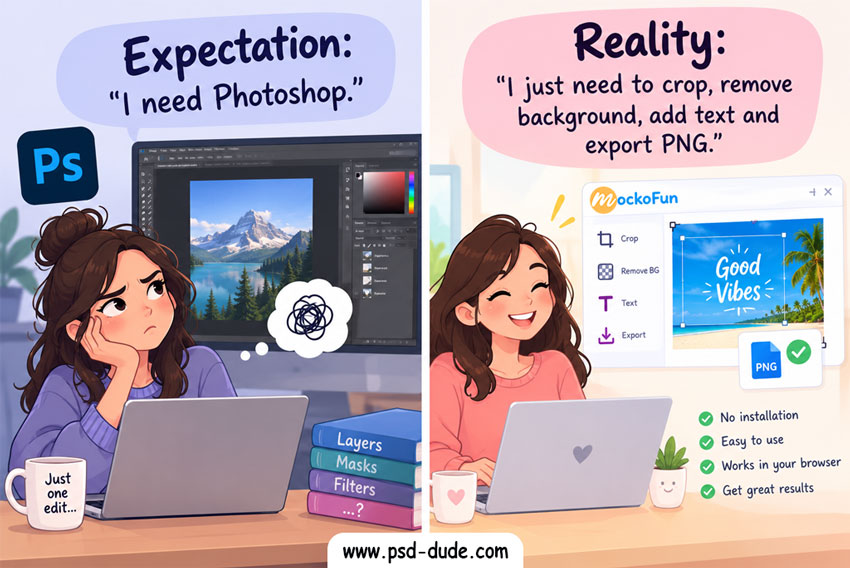
In Conclusion
For a Photoshop replacement, choose Photopea for a similar interface, features, and PSD file editing; Affinity Photo if you want desktop software with powerful photo-editing capabilities; or Mockofun for easy photo editing and graphic design directly in your browser. All three are good Photoshop alternatives but each with its own unique features.
Photoshop Alternatives Online
No comment(s) for "Photoshop Alternatives"