Icon Generator
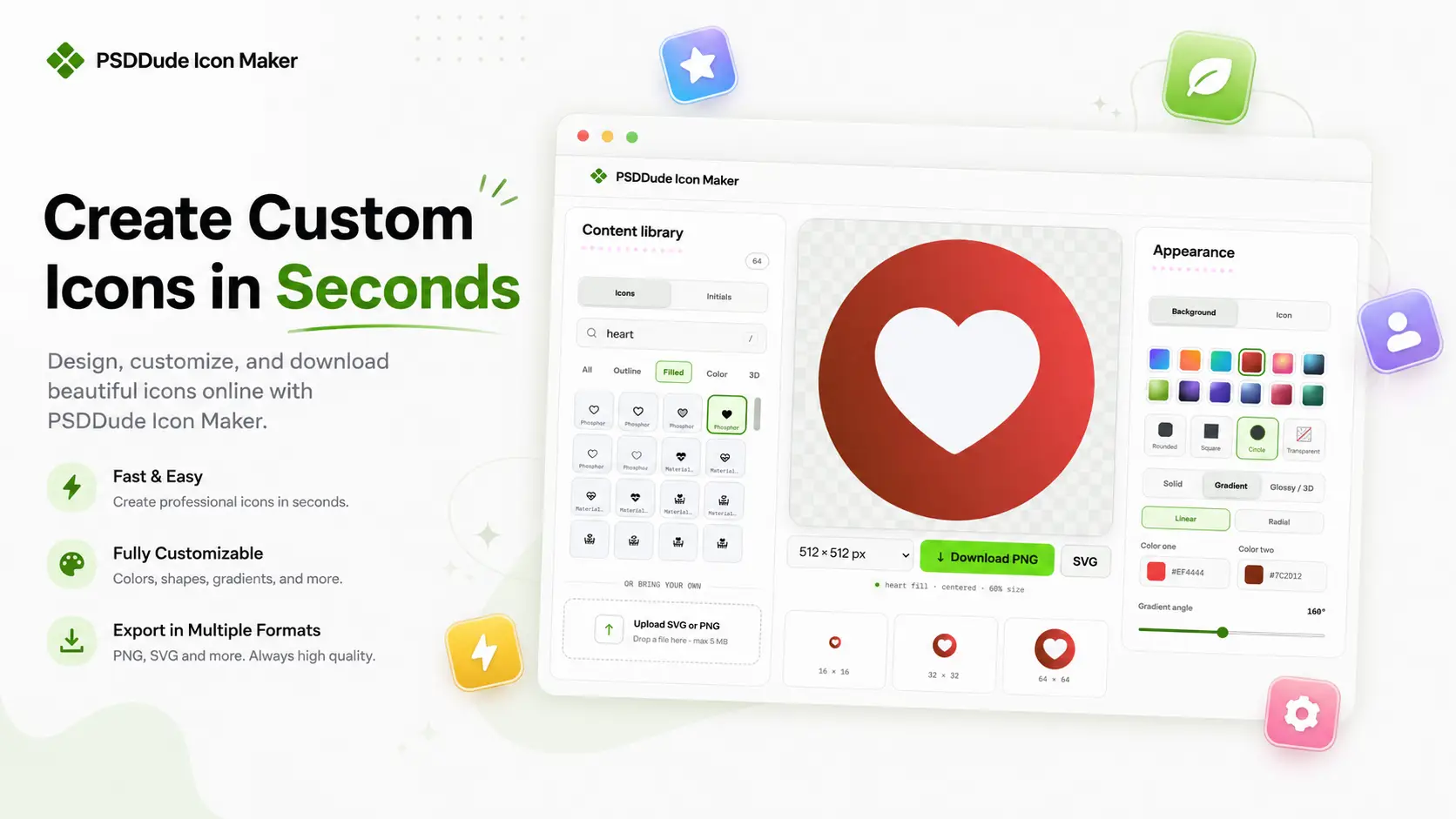
Create your own custom icons quickly and easily with our free icon generator. Choose an icon from a large gallery, customize its background shape, colors, gradients, size, and appearance, then create an icon that fits your project.
No design software or graphic design experience required. No login required, just pick an icon, customize it, and make it yours.
Free Icon Generator — Create Custom Icons Online
How to Use the Icon Generator
Our icon generator gives you an easy way to create polished, customized icons from a ready-made icon gallery. Start by choosing an icon you like, then customize the design to match your style. Change the background shape, select colors, add gradients, adjust the appearance, and create an icon that works for your website, app, project, or brand.
Creating a custom icon takes just a few simple steps.
Step 1: Choose an Icon
Browse the icon gallery and select the symbol you want to use. Find icons for common objects, actions, tools, interfaces, categories, and more. You can choose a simple icon, an outline icon, a flat icon or a 3D icon.
Step 2: Choose a Background Shape
Select the background shape that works best with your design. A circular, square, rounded, or other shape can completely change the look of an icon.
Step 3: Change the Colors
Customize the icon and background colors to match your website, application, brand, or personal style. You can create a classic black icon or you can combine different colors to create a modern and vibrant icon design.
Step 4: Customize the Appearance
Adjust available visual settings to create the right combination. Give your icon a more distinctive appearance with a smooth color gradient or a 3D glossy effect.
Step 5: Download Your Icon
Once you're happy with your customization, download your custom icon and use it wherever you need it. You can download the icon in PNG or SVG format. The available icon sizes are: 16x16px, 24x24px, 32x32px, 48x48px, 512x512px and 1024x1024px.
What Icons Can You Create With Our Icon Generator?
This icon maker is useful whenever you need a quick way to create customized icons without designing them from scratch.
Website Icons
Create icons for landing pages, navigation, features, services, categories, buttons, and other website elements.
App Icons
Make customized icons for mobile apps, desktop applications, dashboards, and user interfaces.
Social Media Icons
Create colorful icons for social media posts, profile graphics, thumbnails, and other digital content. You can create an Instagram icon, Facebook icon, Whatsup icon, YouTube icon and so on.
Business Icons
Create any icon for your business like location icon, call icon, phone icon, like icon, payment icon, contacts icon, chat icon, support icon, etc. To make custom icons for your brand, experiment with different icon shapes, colors, and gradients to create visual assets that complement your brand visual style.
Presentation and Project Icons
Make custom icons for presentations, documents, educational projects, portfolios, and personal websites.
App Icon Generator
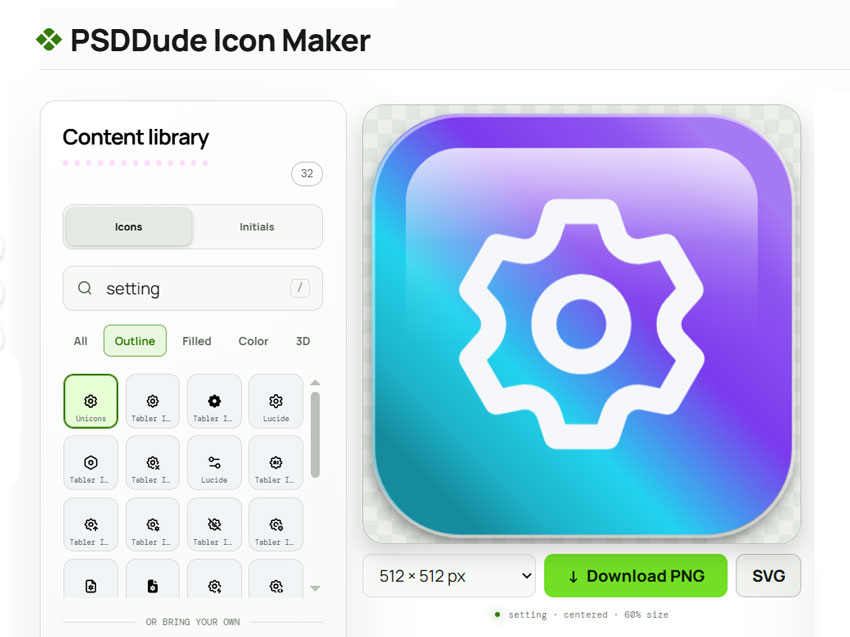
Create a customized app icon quickly with our app icon generator. Choose an icon from the gallery, customize its colors and background shape, and create a clean icon for your mobile app, desktop application, dashboard, or other digital product.
Whether you're creating a new app or updating an existing interface, the app icon maker gives you a simple way to create a consistent visual style without designing an icon from scratch.
PSDDude free app icon generator allows you to create icons for desktop and mobile apps. But, if you are looking for an Android icon generator or iOS icon generator, you must know that our tool will not give you the iOS or Android launcher packages, you get a PNG and SVG icon.
Why Use an Icon Generator?
Creating an icon manually can take time, especially when you only need a simple graphic with a specific color or background. An online icon generator gives you a faster alternative. Instead of drawing every element yourself, you can start with an existing icon and customize the visual details until it fits your needs.
Here are the main advantages:
- Save time: Create customized icons quickly without designing them from scratch.
- Customize your icons: Adjust colors, shapes, and other visual elements to match your project.
- Keep your design consistent: Create icons with a cohesive style across your website, app, or interface.
- No design skills required: Use ready-made icons and simple customization options instead of complex design software.
- Create icons for different uses: Make icons for websites, apps, dashboards, social media, and other digital projects.
Create Icons That Match Your Style
The best icon for website or app is more than just a symbol. Its shape, colors, background, and overall appearance can help it fit naturally into your design.
Use a simple solid color for a clean look, a gradient for a more vibrant style, or different background shapes to create a visual system for your website or application. You can experiment with different combinations until you find an icon that looks right.
With our icon maker, you can:
- Start from a ready-made icon
- Customize the background
- Choose your own colors & gradients
- Experiment with different combinations
- Make consistent icons for your projects
- Create icons without complicated design software
Icon Generator Features
Large Icon Gallery
Start with a broad selection of ready-to-use icons instead of drawing a symbol from scratch.
Background Shapes
Choose a background shape (circle, square, rounded square) to create different visual styles and make your icon stand out. You can also make icons without background if you choose the no shape option.
Custom Colors
Select colors that match your brand, interface, website, or project.
Gradient Backgrounds
Combine colors with gradients to create modern and visually appealing icons.
Simple Online Interface
Create and customize your icon directly in your browser without needing specialized design software.
Free Online Icon Maker
Looking for a free icon maker online? Our icon generator makes it simple to create custom icons from a gallery of ready-made symbols.
Choose an icon, customize its shape and colors, experiment with gradients, and create a design that fits your needs.
Icon Generator FAQs
What is an icon generator online free?
An icon generator is a free online tool that helps you create customized icons using existing icon designs and customization options. You can choose an icon and modify elements such as its background shape, colors, and gradients.
How do I create a custom icon?
Choose an icon from the gallery, select a background shape, customize the colors, add a gradient if desired, and create your finished icon.
Is this an AI icon generator?
No. This is a classic icon creation tool. You choose an icon from the available gallery and customize its visual appearance using the provided options. If you need an AI icon generator try Mockofun.
What is the difference between an icon maker and an icon generator?
The terms are often used interchangeably. An icon maker usually emphasizes creating and customizing an icon, while icon generator can describe a tool that produces a finished icon from available designs and settings.
Can I change the background of an icon?
Yes. You can choose from the available background shapes and customize their colors and appearance.
Can I create gradient icons?
Yes. The icon generator includes gradient customization options, allowing you to combine colors for a more modern or colorful appearance.
Can I use the icons for my website?
Yes, the generated icons can be used for websites, apps, interfaces, presentations, branding, and other digital projects. Make sure your intended use complies with the licensing terms of the icon assets and tool.
Do I need graphic design experience?
No. The icon generator is designed to make creating customized icons simple. You can select an existing icon and adjust its appearance without needing advanced design skills.
Can I make an icon online?
Yes. Our online icon maker lets you create and customize icons directly in your browser without installing traditional graphic design software.
Can I use icons created with the icon generator commercially?
Yes. The icons made with our tool can be used for commercial projects.