
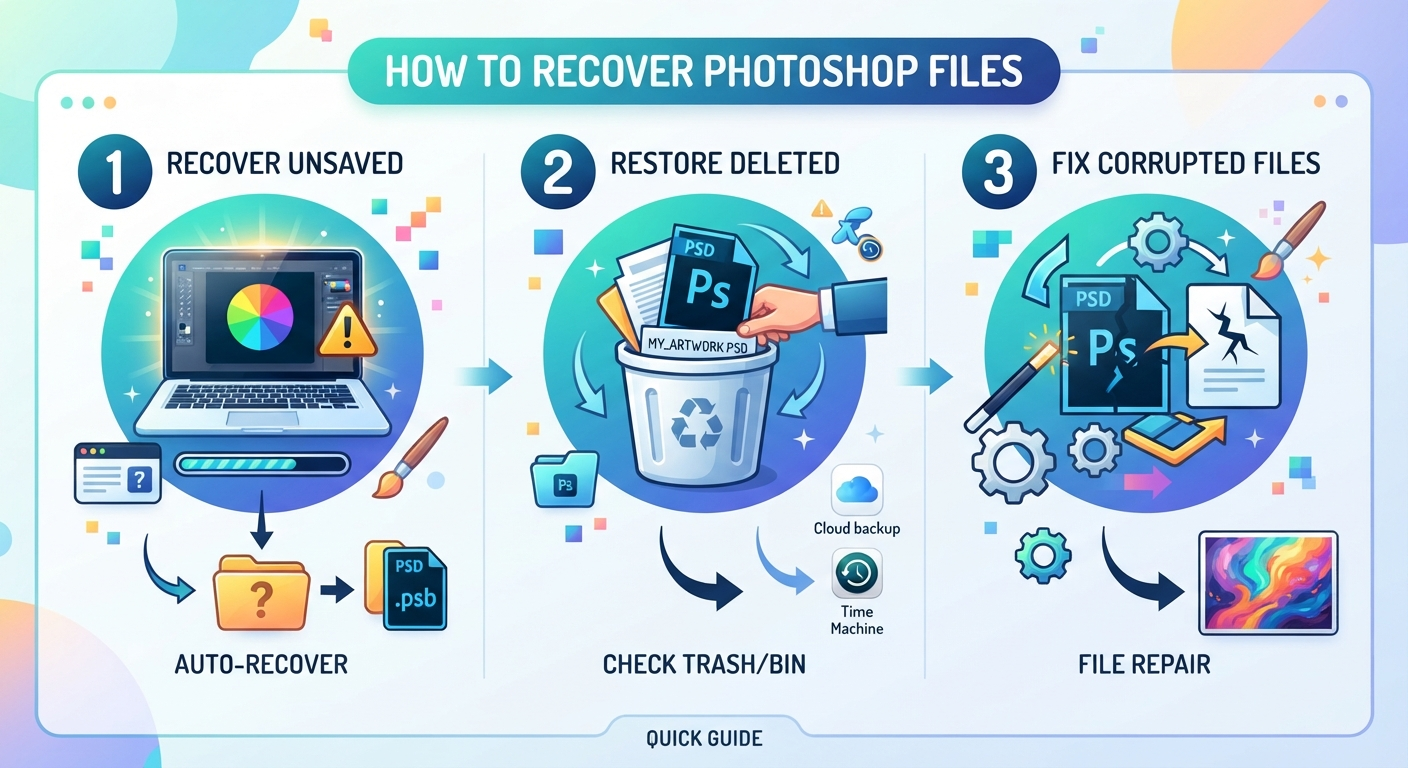
Before You Start: Protect Your Photoshop or Illustrator Project
If the deleted document is still open, save a new copy to another drive before closing the application. Use File > Save As, or Save a Copy where available, and keep the original format.
Otherwise, stop using the affected drive. Avoid downloading software, exporting designs or saving recovered files there. Deleted data may remain until overwritten, but SSD TRIM can make it unavailable even without further saves. There is no guaranteed recovery window.
Photoshop also uses a scratch disk for temporary working data. If that is the affected drive, close Photoshop after saving any open work elsewhere.
| What happened? | Where to start |
|---|---|
| You deleted a saved file | Recycle Bin, backups, then drive scanning |
| The application crashed before you saved | Built-in crash recovery |
| You saved over the original | Backup or cloud version history |
Restore Deleted PSD or AI Files from the Recycle Bin or Trash
Check the bin before installing anything. Search for the project name and look inside deleted folders: your design may still be inside its original project folder.
On Windows:
- Open the Recycle Bin from your desktop.
- Find the PSD or AI file. Use Details view to check its original location.
- Right-click it and select Restore.
On macOS:
- Open Trash from the Dock.
- Locate your document.
- Right-click and select Put Back, or drag it to another location.
An emptied bin, Windows Shift+Delete or a removable-drive deletion can leave nothing here. Continue with the appropriate method below.
How to Recover Permanently Deleted PSD Files and AI Projects with Disk Drill
If the bin is empty and you have no backup, an image recovery program such as Disk Drill can scan the original drive for recoverable project files. It supports PSD, PSB and AI formats on Windows and macOS, with search and filtering tools to narrow the results.
To recover deleted Illustrator files or Photoshop documents:
- Install Disk Drill away from the affected drive. For a USB project, install it on your computer. If the file was on your system drive, using another computer to scan that drive can reduce writes where practical. Installing on another partition of the same physical disk is not equivalent to using another drive.
- Select the original storage device. Choose the drive that contained the project, rather than your intended recovery destination.
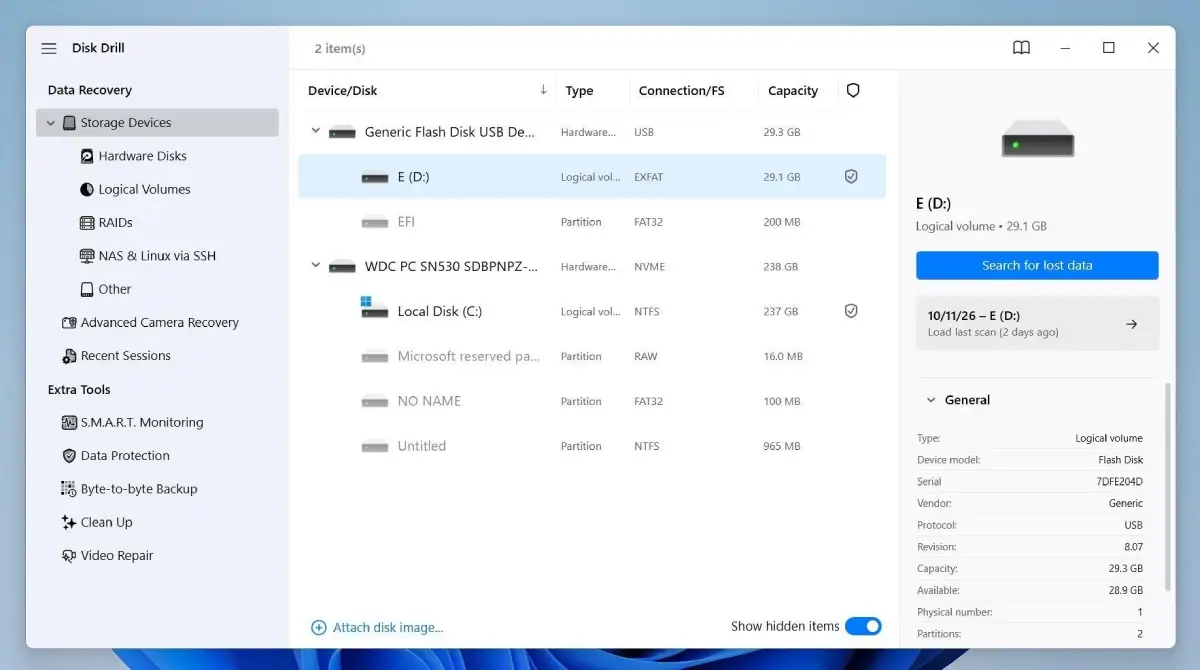
- Start the scan. Click Search for lost data and let the scan finish to review all available results.
- Find your project. Search for its name or extension. Include .psb if you saved a large Photoshop document. Check reconstructed results too: files found by their content may lack their original names or folders.
- Review candidates. Compare file sizes and available dates. Use the preview where supported, but do not treat a thumbnail as proof that every layer is intact.
- Recover to a different drive. Select the files, click Recover and choose a destination on another storage device.
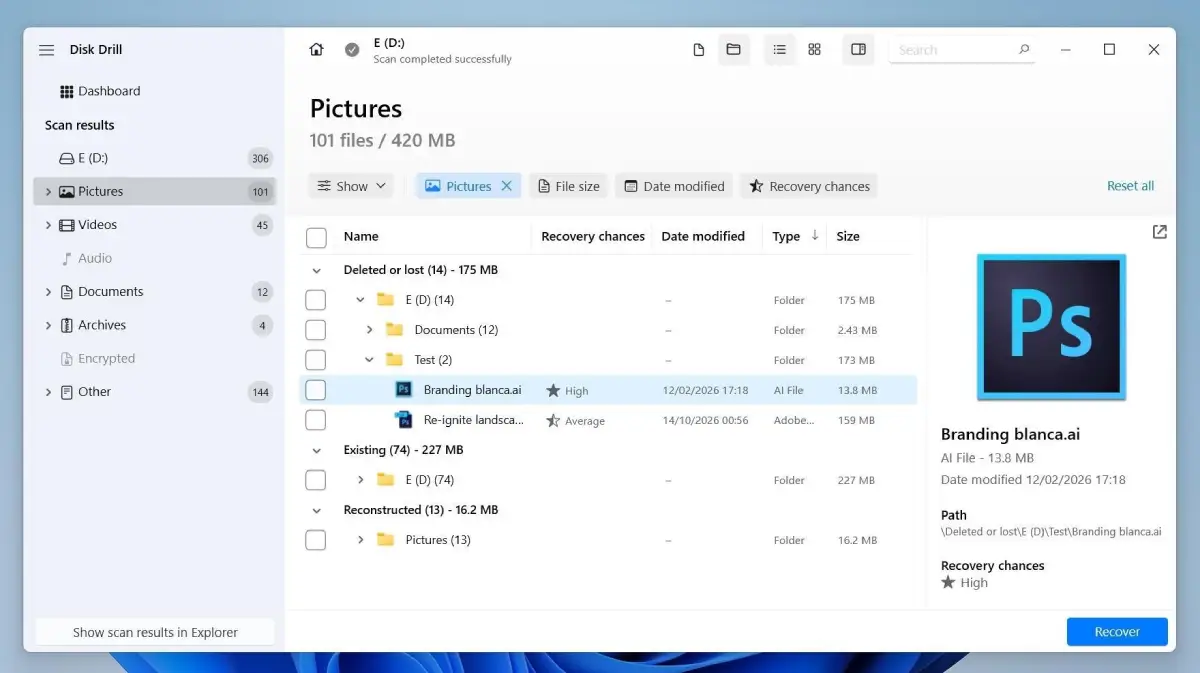
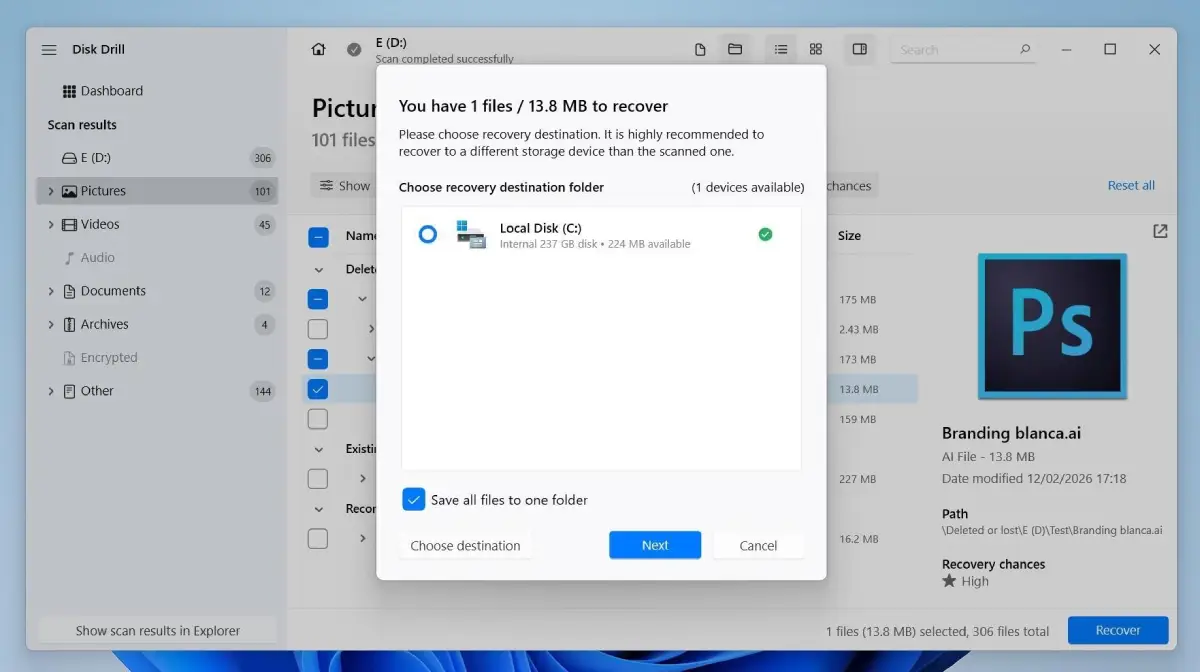
If an AI document is missing from the expected results, check PDF candidates too. Illustrator files saved with Create PDF Compatible File contain a PDF representation. Finding that content may help salvage artwork, although it does not guarantee that the complete editable AI project survived.
Check the free-version limits before recovering a large project. Disk Drill for Windows allows up to 100 MB of free recovery. The free Mac version offers scanning and previews rather than ordinary deleted-file recovery. A single layered PSD can exceed the Windows allowance.
Restore Your Design from Backups or Adobe Cloud Documents
Backups can restore a complete project without reconstructing deleted data. They are also the first option for Photoshop file recovery when you saved over a design.
Restore an Adobe Cloud Document
This applies to documents saved in Adobe's cloud, not every local PSD or AI file.
- Open the Creative Cloud desktop app and sign in to the correct account.
- Select Files > Deleted.
- Locate the document and choose Restore from its options.
Adobe retains deleted cloud documents for 30 days unless you permanently delete them sooner. For an overwritten cloud document, inspect its version history instead.
Check File History or Time Machine
On Windows, open the folder that contained the project, right-click it and choose Restore previous versions. If a backup is available, open it and copy the required file elsewhere.
On macOS, open the original folder in Finder, enter Time Machine, browse an earlier backup and restore the document.
The backup must already contain your file. Enabling backups now cannot recreate it. Also check cloud-storage deleted items, email attachments and packaged project folders. A client-approved JPEG may help meet a deadline, but it will not restore your PSD layers.
When several copies exist, compare their modification dates and open each candidate before choosing one. An older layered document may be more useful than a recent flattened export. Keep both until you confirm which parts of the project each contains.
How to Recover Deleted AI Files and PSD Projects from a USB Drive or External Disk
The same scanning process works for external storage, but bin behaviour differs. Windows USB flash drives and memory cards usually bypass the Recycle Bin. External disks recognized as fixed drives can use it, including many NTFS hard drives.
On macOS, external volumes can keep their own trash data, commonly in a hidden .Trashes folder. Reconnect the drive and check Finder's Trash first; you do not need to edit that folder manually.
If the project is absent, scan the external device and save the recovered files to your computer or another drive. For Windows-specific instructions on recovering data from USB, follow this guide.
Decline format prompts and recover files before attempting disk repairs. If a hard drive clicks, or a device repeatedly disconnects, stop scanning and consider professional recovery.
What If Your Photoshop or Illustrator File Was Never Saved?
A never-saved document needs recovery data created by the application. Scanning cannot recover work that existed only in memory.
Restore an Unsaved PSD File in Photoshop
After a crash, restart Photoshop and check whether it opens a recovered document. Save it immediately under a new name.
Recovery depends on information written before the crash. In Preferences > File Handling, check Automatically Save Recovery Information and its interval. Turning it on afterwards cannot recover the previous session. A normal close followed by Don't Save is different from a crash; recovery is not assured.
Illustrator File Recovery After a Crash
Restart Illustrator and look for documents marked Recovered, then use File > Save As.
If nothing opens, check File Handling in Illustrator's settings or preferences; older releases may call it File Handling & Clipboard. Where your version provides a backup-folder setting, inspect that location for recovery copies and try opening supported files.
In Illustrator 30.0, Save in Background also controls the newer backup process. Do not assume a greyed-out recovery interval means backups were disabled.
Recovery formats vary between versions. Consult Adobe's instructions for your installed release rather than renaming unfamiliar files. Open Recent only points to existing documents; it does not restore deleted files or recreate unsaved work.
Check Your Recovered File Before You Resume Editing
Disk Drill's preview is an initial check. The real test is opening a recovered copy in Photoshop or Illustrator.
For a PSD, check the Layers panel, masks, text and linked Smart Objects. For an AI document, inspect artboards, paths and the Links panel. Missing fonts or external images may need reinstalling or relinking; they do not automatically mean the document itself is damaged.
If you recovered PDF content, check what remains editable. It may preserve artwork without the original Illustrator organisation.
If a file will not open, keep it unchanged and try another recovered candidate or backup. A matching filename and plausible size do not prove complete recovery. Once a project opens correctly, save a working copy and back it up.
Frequently Asked Questions
Can You Recover a PSD After Emptying the Recycle Bin?
Possibly. A backup may contain it, or scanning may find data that remains on the drive. Overwriting, SSD TRIM and fragmentation can prevent complete recovery. Act promptly, but do not expect a guaranteed result.
Can You Restore an Overwritten Photoshop or Illustrator File?
Look for an earlier backup or cloud version. Scanning for deleted files does not reliably undo an overwrite. If the document is still open, application history may help, but avoid saving over your only remaining copy.
Why Does a Recovered File Fail to Open?
Some of its data may be missing or overwritten, or its extension may not match its contents. Try another candidate or an intact backup. Renaming a file alone cannot repair missing data.
In Conclusion
Protect any open document first, then stop writing to its original drive. Check the bin and available backups before scanning. Recover to another device, and open the result in Photoshop or Illustrator to verify that your editable project survived.
No comment(s) for "Photoshop File Recovery"