Study Apps For Students
Between classes, assignments, and exams, staying on top of schoolwork isn't easy. That's why study apps for students have become essential tools for modern learning - helping students stay organized, focused, and productive wherever and however they study.



📒 Note-Taking & Organization Tools
These tools help you capture ideas quickly, keep subjects and projects organized, and actually find your notes later (which is half the battle). Whether you’re in lectures, doing research, or brainstorming, good organization saves time and stress.
What they’re best for:
- Taking lecture notes (typed, handwritten, or voice-based)
- Organizing notes by subject, semester, or project
- Storing PDFs, slides, and links in one place
- Creating systems that grow with your workload
Examples:
- Notion – All-in-one workspace for notes, databases, planners, and project tracking
- OneNote – Great for free-form note-taking and handwriting support
- Google Keep – Quick notes, reminders, and checklists on the go
- Obsidian – Powerful note-linking for deep learning and idea connections
- Google Drive – File storage and organization for documents, slides, and PDFs
✍️ Writing & Research Tools
Writing tools help students produce clearer, more polished work while staying academically honest. They’re especially useful for essays, reports, research papers, citations, grammar checks, and avoiding accidental plagiarism. .
Sometimes three major projects hit during the same week as midterms, leaving students with limited time and energy. It's really stressful to have to keep up the quality of your work on several tasks while studying. In these situations, some students use a college essay writing service to stay on track academically and avoid burnout. This helps them handle their task when things are really busy. Professional feedback can help you understand what is expected of you in an assignment and improve the structure of your work.
What they’re best for:
- Drafting and editing essays
- Grammar, spelling, and clarity checks
- Managing citations and references
- Avoiding accidental plagiarism
- Collaborating on documents
Examples:
- Grammarly – Grammar, style, and clarity suggestions
- Zotero – Reference management and citation generation
- Google Docs – Real-time collaboration and cloud saving
- Overleaf – LaTeX writing for technical and academic papers
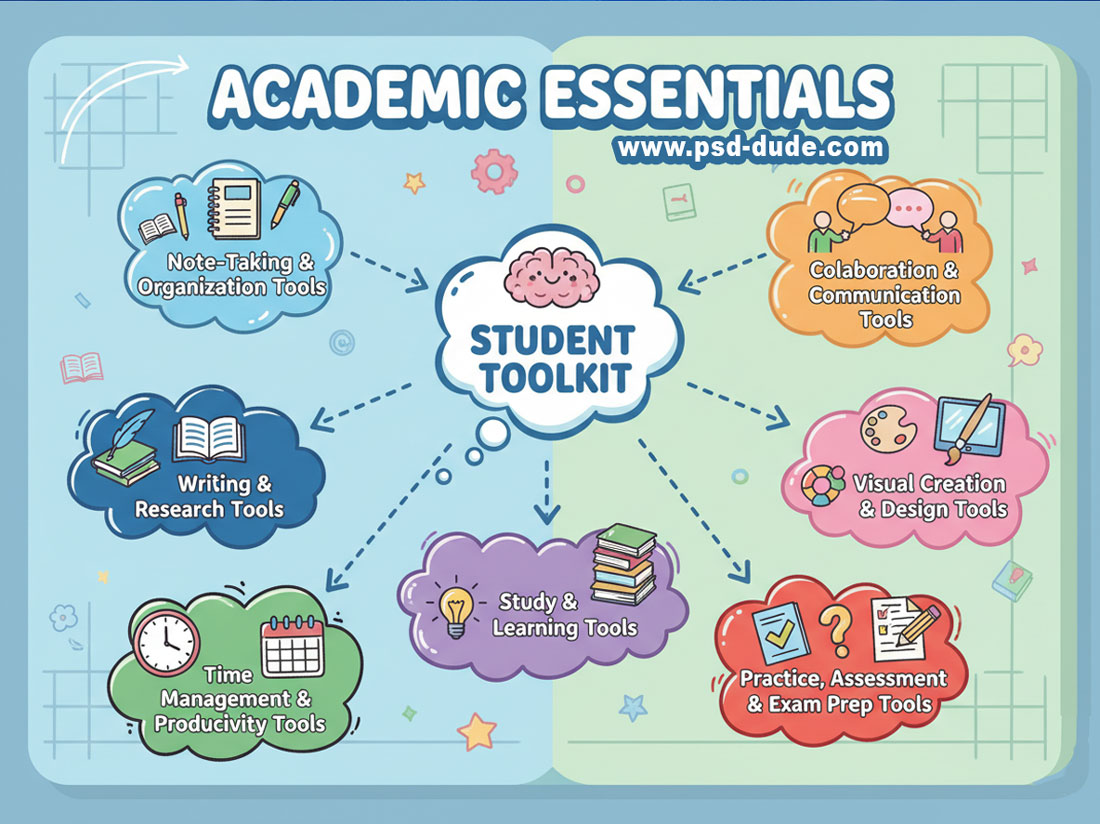
🧠 Study & Learning Tools
These tools make studying more efficient and less overwhelming by breaking content into manageable pieces and helping you review actively instead of passively rereading notes.
What they’re best for:
- Memorization using spaced repetition
- Practicing concepts with quizzes and exercises
- Learning at your own pace with structured lessons
- Reinforcing difficult topics with explanations and examples
Examples:
- Anki – Spaced-repetition flashcards for long-term memory
- Quizlet – Flashcards, practice tests, and study games
- Khan Academy – Free lessons with clear explanations
- Coursera – Online courses from universities and companies
⏱️ Time Management & Productivity Tools
The time management for students is focusing on tools that help you stay on top of deadlines, manage your workload, and improve focus—especially during busy weeks or exam periods.
Not all tasks are equally important. Prioritizing helps you focus on high-impact work instead of spending time on low-value tasks. Many students are working and studying at the same time so prioritization is the key.
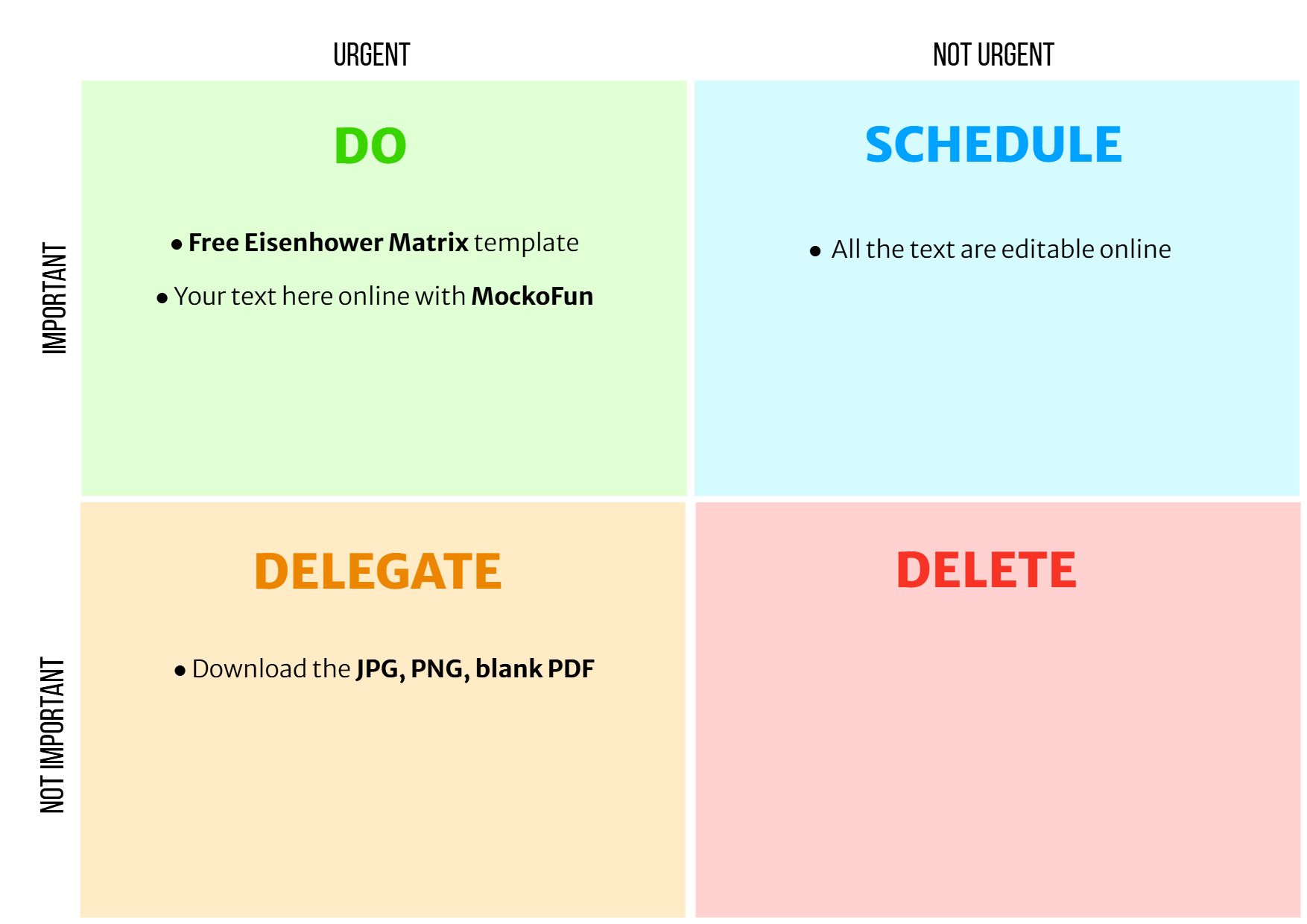
Using an Eisenhower Matrix template helps you organize tasks based on urgency and importance. Focus only on what is important.
What they’re best for:
- Tracking assignments and due dates
- Planning daily and weekly schedules
- Building focus habits and reducing distractions
- Balancing school, work, and personal life
Examples:
- Todoist – Task lists with priorities and reminders
- Google Calendar – Scheduling classes, deadlines, and events
- Forest – Focus sessions that discourage phone use
- Pomofocus – Pomodoro-style time tracking for deep work
💬 Collaboration & Communication Tools
Group projects are easier when everyone stays connected, organized, and informed. These tools help teams communicate clearly and share work without confusion.
What they’re best for:
- Group discussions and announcements
- File sharing and version control
- Virtual meetings and presentations
- Coordinating tasks in team projects
Examples:
- Google Drive – Shared folders and collaborative files
- Microsoft Teams – Chat, meetings, and file collaboration
- Slack – Organized messaging for teams and projects
- Zoom – Video meetings, presentations, and screen sharing
🎨 Visual Creation & Design Tools
These tools are perfect for turning ideas into clear, engaging visuals—great for presentations, posters, diagrams, and infographics.
What they’re best for:
- Creating presentations and slides
- Designing infographics and posters
- Visualizing concepts with diagrams and charts
- Making projects look professional without design experience
Examples:
- Canva – Easy drag-and-drop design with templates
- Mockofun – Quick graphic and text designs
- Figma – Collaborative design and prototyping
- Google Drawings – Simple diagrams and visuals
- PowerPoint / Google Slides – Presentation creation
- Lucidchart – Flowcharts, mind maps, and diagrams

🎯 Practice, Assessment & Exam Prep Tools
These tools help you test your knowledge, identify weak spots, and prepare confidently for exams through practice and feedback.
What they’re best for:
- Self-testing and exam simulations
- Reviewing past exams and question formats
- Tracking strengths and weaknesses
- Reducing exam anxiety through preparation
Examples:
- Past exam papers – Real exam questions for practice
- Practice quizzes – Quick knowledge checks
- Brilliant – Interactive problem-solving for STEM topics
- Exam.net – Secure testing and assessment platforms
In Conclusion
With the right digital tools, studying becomes more organized, efficient, and less stressful. From capturing notes and managing time to collaborating with others and preparing for exams, these resources support every stage of the learning process. Choosing tools that fit your personal workflow can make a meaningful difference in how effectively you learn, stay focused, and succeed academically.
Love Inspired Photoshop Manipulation Tutorials for Valentine Day
Best File Formats For Printing
No comment(s) for "Study Apps For Students"