
Dotted Line in Photoshop
To draw a dotted line in Photoshop you need a dotted brush. You can either create the dotted brush yourself or you can use one of these Dotted Brushes for Photoshop. In this tutorial I will first teach you how to create a dotted brush. Second, I will show you how to make a dotted line in Photoshop. Also you will learn to draw a dotted circle and a shape with dotted outline.
Create a Dotted Brush in Photoshop
To create a dotted brush in Photoshop, pick the Brush Tool and select a Hard Round brush.
Open the Brush Settings Photoshop panel. On the Brush Tip Shape tab you have to increase the Spacing of the brush to 150%. The spacing of the brush has to be higher than 100% to get a dotted line brush.
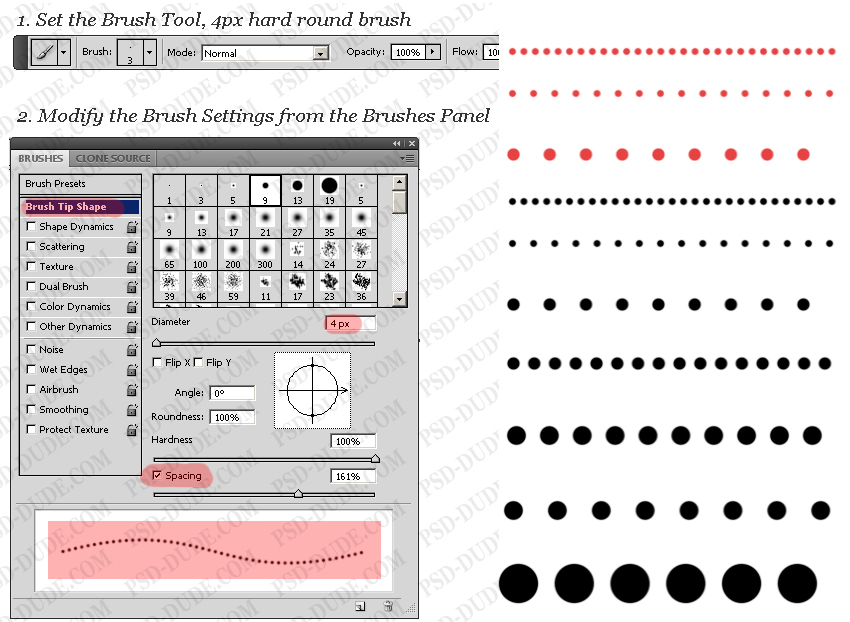
You can also set the size of the brush to get different dotted lines like you see in the preview image. To use the dotted brush you have to save it. So click on the right top corner button and choose New Brush Preset.
1. Create a Dotted Line in Photoshop with Brush Tool
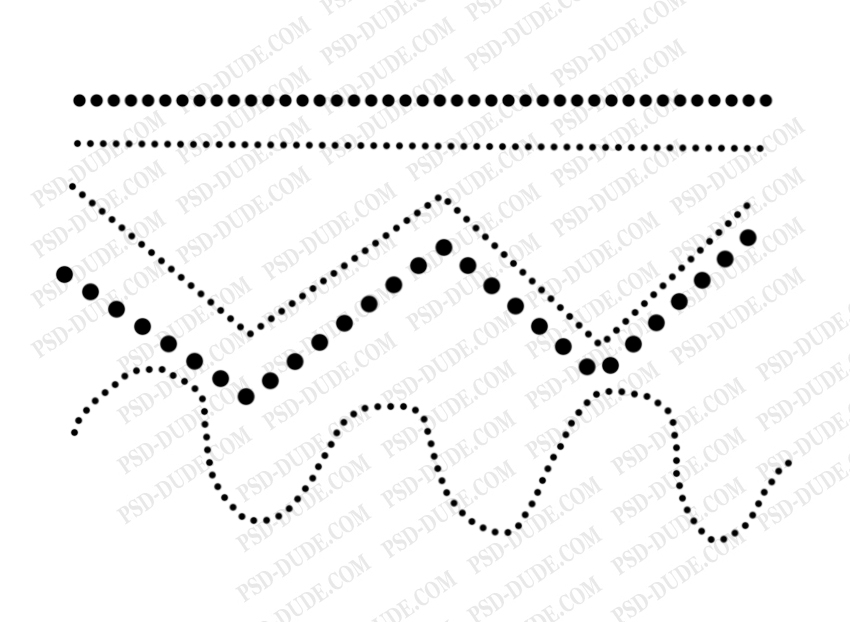
Now you can use the dotted brush to create a dotted line. Use the Brush Tool and simply draw using the dotted brush. If you want to obtain straight lines you have to hold down the Shift key.
2. Create a Dotted Line in Photoshop with Pen Tool
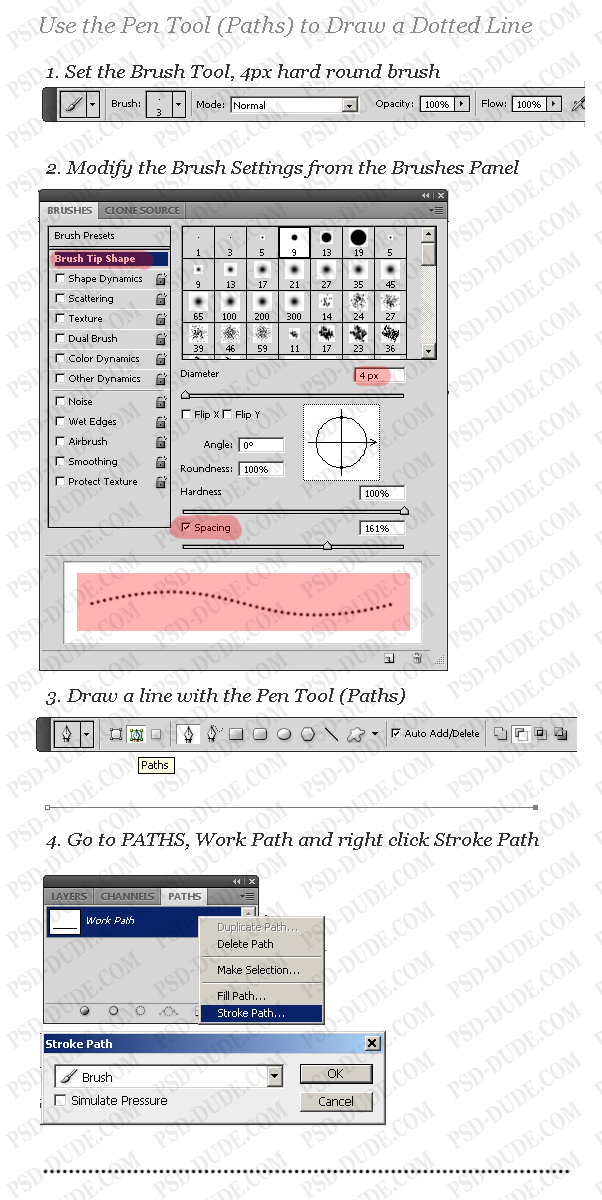
Another method is to use the Pen Tool and the Brush Tool to draw a dotted line in Photoshop.
Pick the Pen Tool(select Paths) and draw a line with 2 points that is now a working path. You can see on the Layers window that we also have a Path tab. If you check it you will notice that our line is now added as a Work Path.
To draw a line just right click on the Work Path and choose Stroke Path. From the list choose the Brush Tool.
You have to have a layer selected before you click Stroke Path otherwise it might not work.
Create a Dotted Curved Line in Photoshop
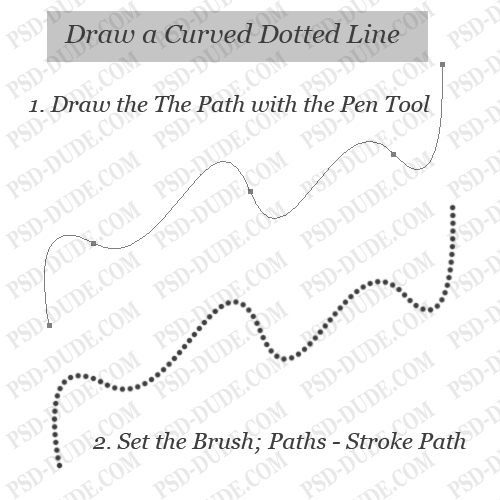
This method can be applied to curved paths and you will obtain curved dotted lines. All you have to do is to create a curved path using the Pen Tool. Then you stroke path like in the previous step.
Create a Circle with dotted outline in Photoshop
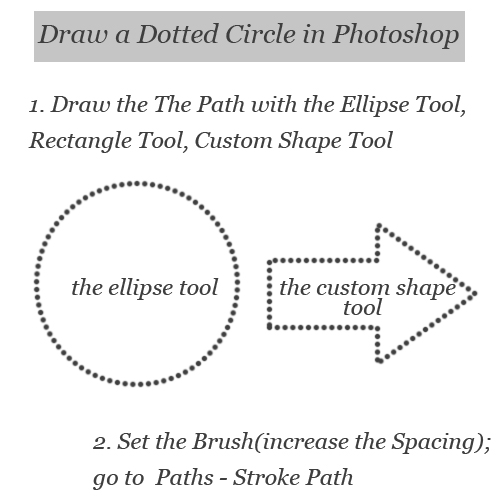
You can make any dotted stroke in photoshop, like for example a Photoshop dotted circle. So, use the Ellipse Tool, the Rectangle Tool or any other Custom Shape with the Path option selected. Then Stroke Path and you get a circle with a dotted outline.
How to draw a line in Photoshop
If you are a beginner you might want to take a look at my previous tutorial on how to draw a line in Photoshop.
6 comment(s) for "Create a Dotted Line in Photoshop"